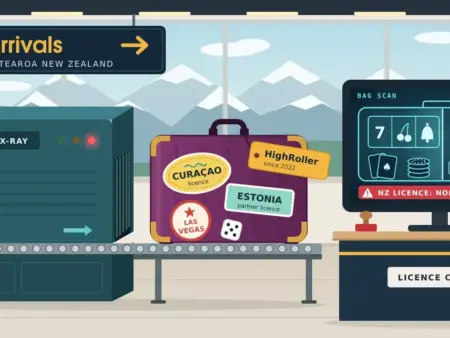
There are no real-money casino apps in New Zealand’s Google Play Store. The reason usually given for that is wrong, and the correct reason tells you both what to do now and when it is likely to change.
This guide covers the Android side specifically — store policy, the risk of installing an app file by hand, and the device settings worth knowing. For what differs about gambling on a phone in general, and what to check before signing up on one, see our mobile casinos guide. This page is information only and is not a recommendation to gamble; you must be 18 or older to gamble online in New Zealand.
Why there are no casino apps in the New Zealand store
The common explanation is that Google blocks real-money gambling apps in countries whose licensing it does not recognise, and that New Zealand is simply left out. That is not the barrier.
New Zealand has been a supported country for real-money gambling apps on Google Play since 2021. The obstacle is the second half of the policy: the app must come from a developer who holds a valid operating licence from the gambling authority in that specific country, and the app has to stay inside the territory that licence covers. No online casino currently holds a New Zealand licence, so no offshore operator can satisfy that rule. Apple’s App Store is built the same way — a real-money gaming app must come from the licensed entity and be geo-restricted to where the licence is valid.
The distinction matters because it tells you what has to change. The stores are not the problem; the absence of a domestic licence is. Once New Zealand licences are issued, a licensed operator will be able to publish an app here legitimately — and it will then be bound by the store conditions too: free to download, no in-app billing on the gambling itself, age-gated, responsible-gambling information shown, and geo-blocking that covers both new sign-ups and existing accounts outside the licensed territory.
It also explains the pressure operators are under in the meantime. Security researchers describe betting and casino software as a whole category pushed into direct, off-store distribution by that policy. In practice that means anyone installing such an app is sideloading it — loading software from outside an official store — whether or not they would use that word for it.
What installing an APK actually exposes you to
An APK is the installer file format for Android apps. Some operators offer one from their own website, with instructions that include switching on Android’s permission to install from unknown sources. That step is the problem, and the figures behind it are not marginal.
Key points
Independent data on where Android malware comes from, and why gambling and finance apps are a favoured disguise.
| 50× | more malware comes from internet-sideloaded sources than from apps on Google Play, according to Google’s own published analysis. |
|---|---|
| 27 million | new malicious sideloaded apps were identified by Google Play Protect’s real-time scanning in 2025 — more than double the 13 million found in 2024. |
| 239 apps | reached the Play Store itself across a recent twelve-month period, with more than 40 million downloads between them. A filter, not a guarantee — but still a filter. |
Why gambling apps specifically: repackaged gaming and finance apps are targeted deliberately, because the user is already expecting to grant broad permissions and enter payment details. Nothing looks out of place when a casino app asks for your card and a photo of your driver licence.
Accessibility Services is the feature most Android banking trojans abuse. Granted once, it lets an app read the screen, automate taps and draw fake screens over your real banking app — which is how two-factor codes are intercepted. Enabling installs from an unknown source is a standing permission that stays on until you turn it back off.
Google’s own published analysis found over fifty times more malware from internet-sideloaded sources than from apps on Google Play. Play Protect’s real-time scanning identified around 27 million new malicious sideloaded apps in 2025, more than double the 13 million found in 2024. Those are not small numbers, and gambling and finance apps sit squarely in the category attackers prefer to imitate.
The reason is simple: the genuine article is expected to ask for payment details and identity documents, so nothing looks out of place when a fake casino app requests your card and a photo of your driver licence. The mechanism most Android banking trojans rely on is Accessibility Services — a legitimate feature for assisting users which, once granted, lets an app read the screen, automate taps and draw convincing fake screens over your real banking app. That is how two-factor codes get intercepted. The malware families researchers keep naming — among them ToxicPanda, Anatsa and Hook — spread primarily through sideloaded installers rather than store listings.
Being fair about the other side: the Play Store is not perfect. Researchers identified 239 malicious apps on it across a recent twelve-month period, with more than 40 million downloads between them. The store is a filter rather than a guarantee. It is still a filter, and the fifty-times figure is the size of the gap between it and a hand-installed file.
The permission is also not a one-off. Enabling installs from an unknown source is a standing permission for that source, not a single approval for one file — it stays on until you turn it back off, and most people never do. Android does push back: since Android 13 the system blocks a sideloaded app from requesting sensitive permissions such as Accessibility until you deliberately override the warning. If you find yourself overriding a security warning to make a casino app work, that is the moment to stop rather than the moment to continue.
Google’s developer verification, from September 2026
Google is introducing developer verification for apps installed on certified Android devices, and it reaches sideloaded apps and third-party stores, not only the Play Store. From 30 September 2026 the first wave took effect in Brazil, Indonesia, Singapore and Thailand, where apps must now come from a registered, verified developer to be installed or updated on certified devices. The requirement is set to expand to more markets through 2027.
The stated aim is accountability rather than restriction: distributing malware would require a verified real-world identity, which makes large-scale attacks costlier to run. The change has drawn criticism from digital-rights groups over the identity database it creates, and New Zealand is not in the first wave, so its local timing is not yet fixed.
For a reader here the practical effect is narrow. It does not make sideloading a casino APK safe, and it does not change the licensing reason those apps are absent from the store in the first place.
Five checks worth making on your phone
None of these is about gambling specifically. They are general Android hygiene, and the second is worth doing once even if you never intend to install anything from outside the store.
Phone security checklist
Worth doing whether or not you ever gamble on the device. Menu names vary between manufacturers and Android versions; if a setting is not where this describes, search for it by name in Settings.
- Confirm Play Protect is on. It scans apps wherever they came from and now runs real-time analysis of apps it has never seen before. Open the Play Store app, tap your profile icon, then Play Protect. It takes ten seconds.
- Review which apps can install other apps. Modern Android grants this per app, not as one global switch. Search Settings for “install unknown apps” and turn off anything you do not actively need — a browser with this permission can install whatever a page hands it.
- Check what has Accessibility access. Under Settings, Accessibility, look at the apps holding the permission. Screen readers, switch access and some password managers are legitimate; a casino app, a game or a “system optimiser” is not.
- Use a home-screen shortcut instead of an app. Open the site in Chrome, tap the three-dot menu, then “Add to Home screen”. You get an app-like icon with nothing installed, no permissions granted and no update prompts.
- Put blocking software on the phone, not just the computer. The phone is the device most often left uncovered. BetBlocker is free, runs on Android, and cannot be lifted early once a period is set.
The fourth item is the answer to almost every reason people give for wanting an app. Opening the site in Chrome and choosing “Add to Home screen” gives you an icon that behaves like an app — nothing installed, no permissions granted, no storage used, no update prompts, and no push notifications, which is a gain rather than a loss. The games, account and cashier are identical to the app that is not available anyway.
What actually matters before you sign up on a phone
Almost nothing on a typical “best Android casinos” feature list is really about Android. Fast loading, smooth graphics, no need for a laptop — those describe a website working normally. The things that genuinely matter before signing up on a phone are the same ones that matter on a computer, and they are simply harder to read on a small screen:
- The wagering requirement — what it applies to, and the maximum bet allowed while you are working through it. Our guide to wagering requirements explains how the playthrough is calculated.
- Any maximum cashout, particularly on a no-deposit offer, where it is the ceiling on everything you could withdraw from it.
- Withdrawal caps — weekly or monthly — and whether they are shared across sister brands.
- Whether the licence is verifiable: a named authority and a number that resolves on that authority’s own register, and specifically the licence that governs a New Zealand account rather than the most impressive one on the page.
Read those on a larger screen before you accept anything. Our guide to choosing an online casino covers the wider selection question, and our casino deposit methods page covers which payment routes actually work from New Zealand — several methods listed across casino cashiers here do not.
One claim is worth flagging. Tap-to-deposit with a mobile wallet is often listed as an Android “feature”. Card networks and wallet providers apply their own rules to gambling merchants, and those vary by market, so whether it works from New Zealand at a given operator is not something any review can tell you in advance. Check the cashier.
Where New Zealand’s rules are heading
Advertising offshore online casinos to New Zealanders is already prohibited, and the legal ground is shifting quickly. The Online Casino Gambling Act 2026 came into force on 1 May 2026, with regulations following on 3 July. Expressions of interest opened on 17 July 2026 for a NZ$19,000 fee, ahead of an auction for the right to apply, with the market capped at fifteen licences and no operator allowed significant influence over more than three.
The auction concluded on 13 October 2026: after ten rounds of bidding, the Department of Internal Affairs named eleven entities that won the right to apply, with the price reaching NZ$15 million per right. Winning the auction does not itself grant a licence — each entity still has to pass a full application and suitability assessment, and the first licensed sites are expected in early 2027. Our page on the New Zealand online casino market tracks where the process stands.
From 1 December 2026, operators that did not enter the licensing process must stop serving New Zealanders; those under assessment may continue, without advertising, until their application is decided. Once licensed, operators will have to verify age at a minimum of 18, offer mandatory deposit, spend and session limits, process self-exclusion within 24 hours, stop accepting credit-card deposits, remove autoplay, and prevent more than one pokie running at once. The autoplay ban is specifically mobile-relevant, since autoplay is most used on a phone.
If you are holding a balance with an operator that may not be licensed here, taking it out well before December is more straightforward than after. Our New Zealand gambling laws guide sets out the full timeline.
When phone gambling stops feeling like a choice
Constant availability is what makes mobile different, and it is what makes it harder to step away from. A laptop session has a beginning and an end. A phone removes both, which is why a device you carry everywhere is the one most worth protecting.
Free, confidential support is available in New Zealand at any hour. The Gambling Helpline is on 0800 654 655 or free text 8006. PGF Services offers free counselling on 0800 664 262. Both support whanau and friends as well as the person gambling.
Our self-exclusion guide covers device blocking, bank gambling blocks and the New Zealand venue exclusion scheme, and our responsible gaming page has more. If you install blocking software, put it on the phone first.
Disclaimer
This page is published for information only. It is not financial, legal, security or gambling advice, and nothing on it is a recommendation to gamble or an endorsement of any operator. No operator is named or linked on this page, and no link on it goes to a gambling operator. You must be 18 or older to gamble online in New Zealand.
The security guidance here is general and is not a substitute for the advice of your bank, your device manufacturer or a security professional; menu paths differ between Android versions and manufacturers. Platform policies, licensing and the New Zealand gambling market are all being restructured during the period this page covers and can change within weeks, so confirm the current position before relying on anything here. Gambling costs money over time by design, and the device you use does not change that — set a deposit limit before your first deposit rather than after a losing session.
Sources
Platform policies, security research, New Zealand government guidance, legislation and support services. No link below goes to a gambling operator.
- Google Play — real-money gambling, games and contests policy — the supported-country list and the local licensing requirement.
- Google Play — common violations for gambling apps — the geo-gating requirement covering new sign-ups and existing accounts.
- National Cyber Security Centre — New Zealand.
- Own Your Online — keeping your devices secure — New Zealand government guidance.
- Malwarebytes — how Android threats really spread — banking trojans distributed through sideloaded installers rather than store listings.
- Malwarebytes — Android apps abusing Accessibility Services — how overlays and two-factor interception work.
- Kaspersky — Android threats in 2026 — malicious installation packages as a dominant Android infection vector.
- Statcounter — mobile operating system share, New Zealand — current figures, if the Android and iOS split matters to you.
- DIA — information for online casino customers — what the licensing change means for players.
- DIA — online gambling licensing for providers — the application process and the 1 December 2026 cut-off.
- Senet — Online Casino Gambling Regulations 2026 — the harm-prevention and game-design rules for licensed operators.
- BetBlocker — free device-blocking software for Android and other platforms, run by a registered charity.
- Gambling Helpline Aotearoa New Zealand — free, confidential support, 24 hours a day.
Frequently Asked Questions
Why aren’t there casino apps in the New Zealand Play Store?
Not because New Zealand is excluded — it has been a supported country for real-money gambling apps since 2021. The barrier is that the developer must also hold a valid operating licence from the gambling authority in that country, and no online casino holds a New Zealand licence yet. Once licences are issued, that can change.
Is it safe to download a casino APK on Android?
No. Google’s own analysis found over fifty times more malware from internet-sideloaded sources than from Play Store apps, and Play Protect identified around 27 million new malicious sideloaded apps in 2025. Enabling installs from an unknown source is a standing permission that stays switched on afterwards, and gambling and finance apps are a favoured disguise precisely because they are expected to ask for payment details and ID.
How can I get an app-like icon without installing anything?
Open the site in Chrome, tap the three-dot menu, then “Add to Home screen”. You get an icon that opens the site like an app, with nothing installed, no permissions granted and no update prompts. The games, account and cashier are identical; the only thing you lose is operator push notifications.
What changes for New Zealand players under the 2026 law?
The Online Casino Gambling Act 2026 is creating a licensed market, capped at fifteen licences. Eleven entities won the right to apply at the October 2026 auction, with the first licensed sites expected in early 2027. From 1 December 2026, operators that did not enter the process must stop serving New Zealanders. Licensed operators must verify age at 18-plus, offer deposit and session limits, process self-exclusion within 24 hours, drop credit-card deposits and remove autoplay.
How do I block gambling on my phone?
Use device-blocking software such as BetBlocker, which is free, runs on Android and cannot be lifted early once a period is set, and add a gambling block at your bank. Put the block on the phone as well as the computer, since the phone is the device most often left uncovered. Our self-exclusion guide covers both options.